Follow one remodel from first call to warranty
Short answer: One kitchen remodel passes through twelve steps, from the first call to the warranty. In Buildestra each step builds on the one before it, so what the customer approved is what gets scheduled, ordered and billed.
Most remodeling jobs run through several separate tools, and the details get retyped at every handoff. Here is one job followed through a single connected system.
1The call comes in
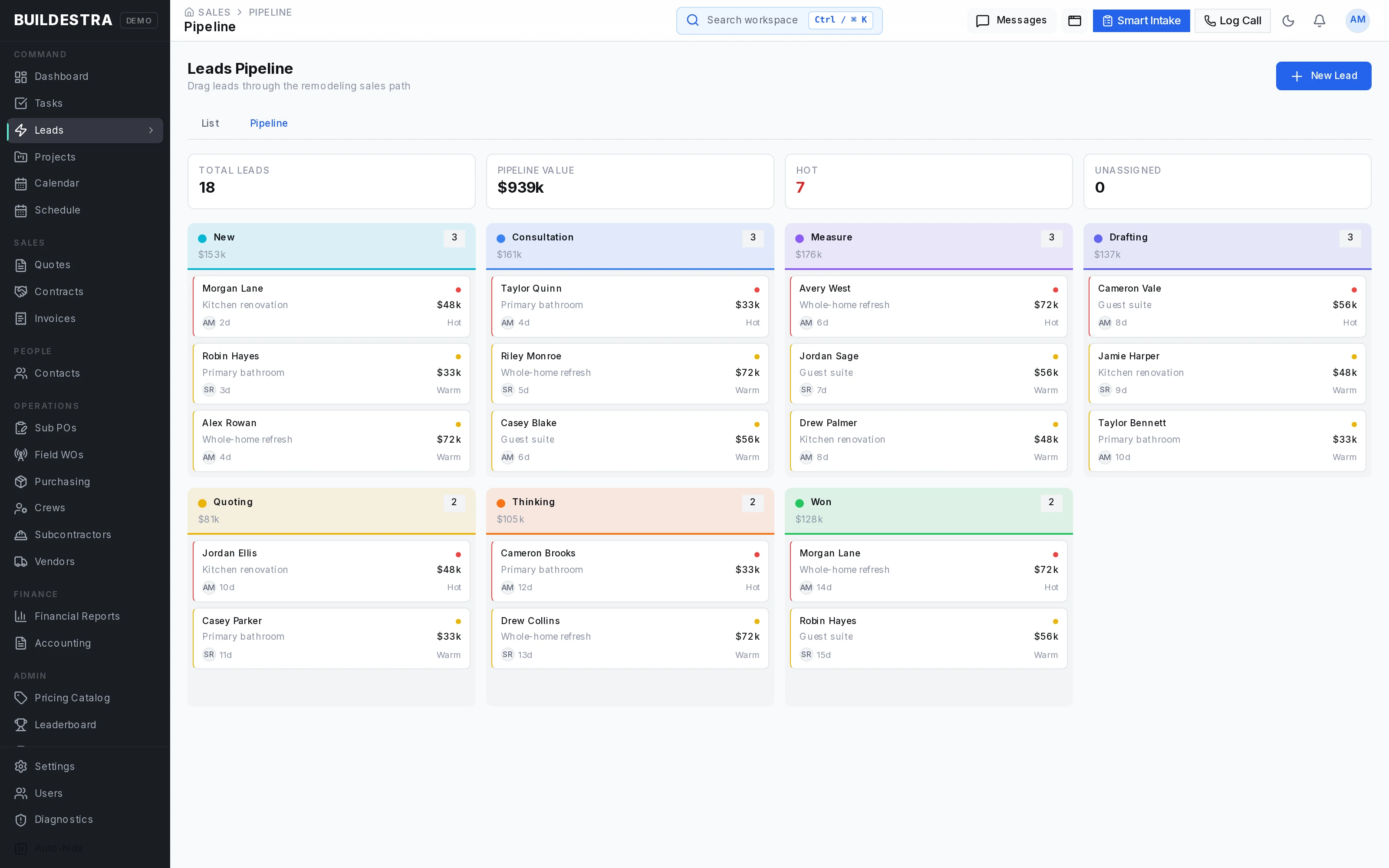
A homeowner calls about a kitchen remodel. The inquiry becomes a lead with a source, an owner and follow-up tasks, and the pipeline shows where every opportunity stands. Customer and property records keep the person and the jobsite together, which helps with repeat customers and customers with more than one property.
2Estimate it room by room
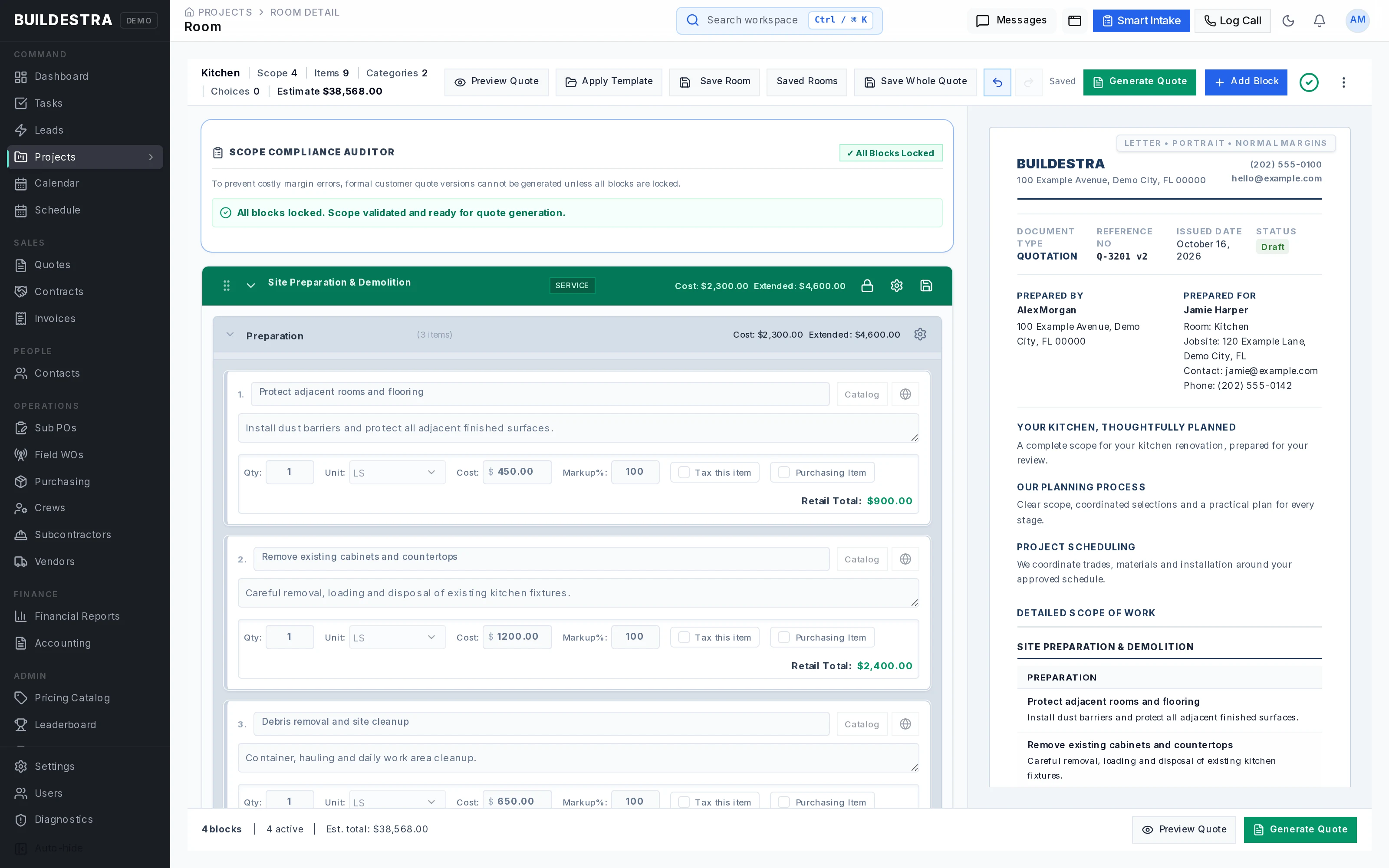
The scope is built by room or work area, then organized into service blocks, categories and line items. Templates and saved rooms capture the work your company repeats, so you adjust quantities and prices for this job instead of starting from nothing.
3Send the proposal
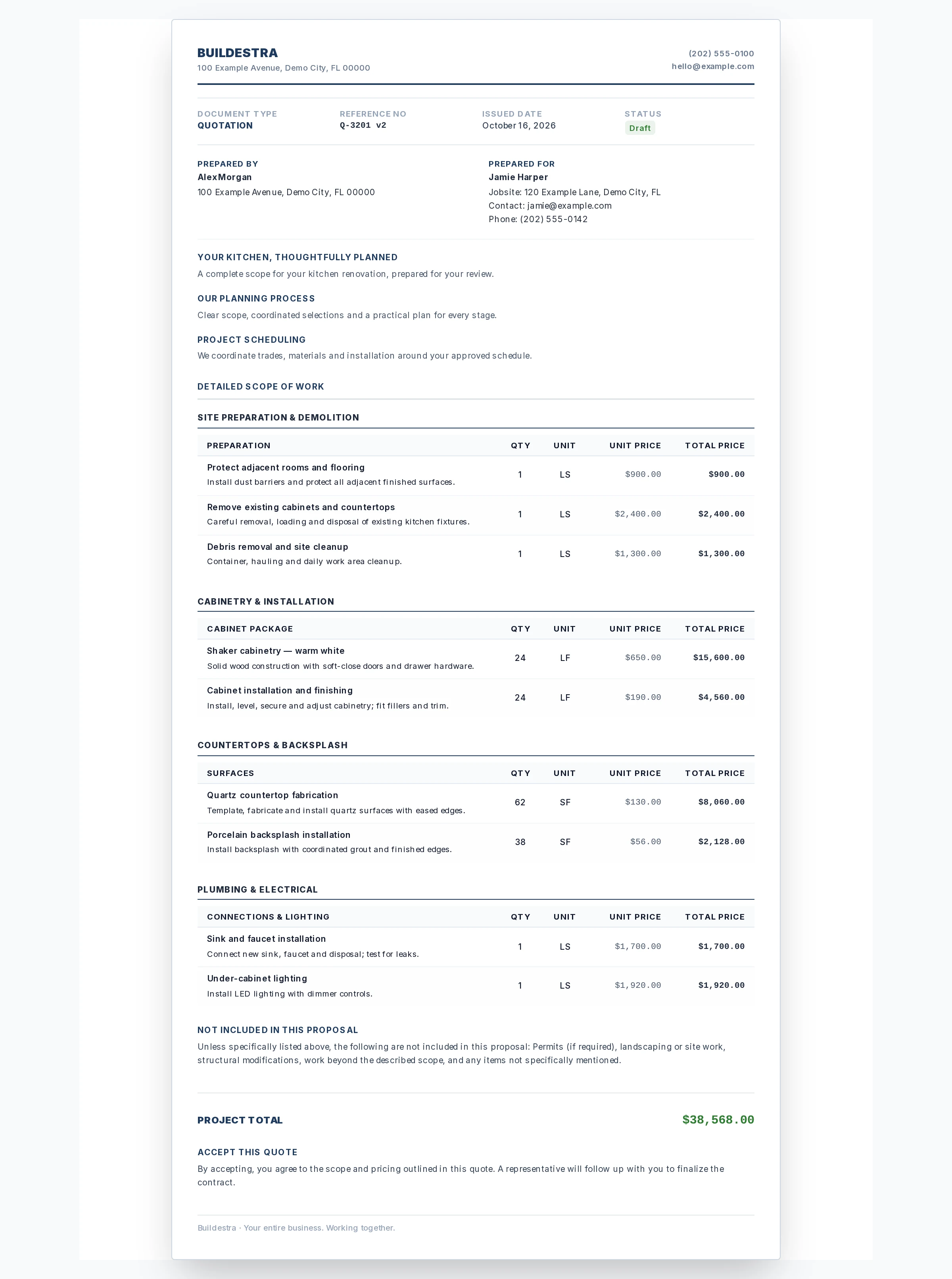
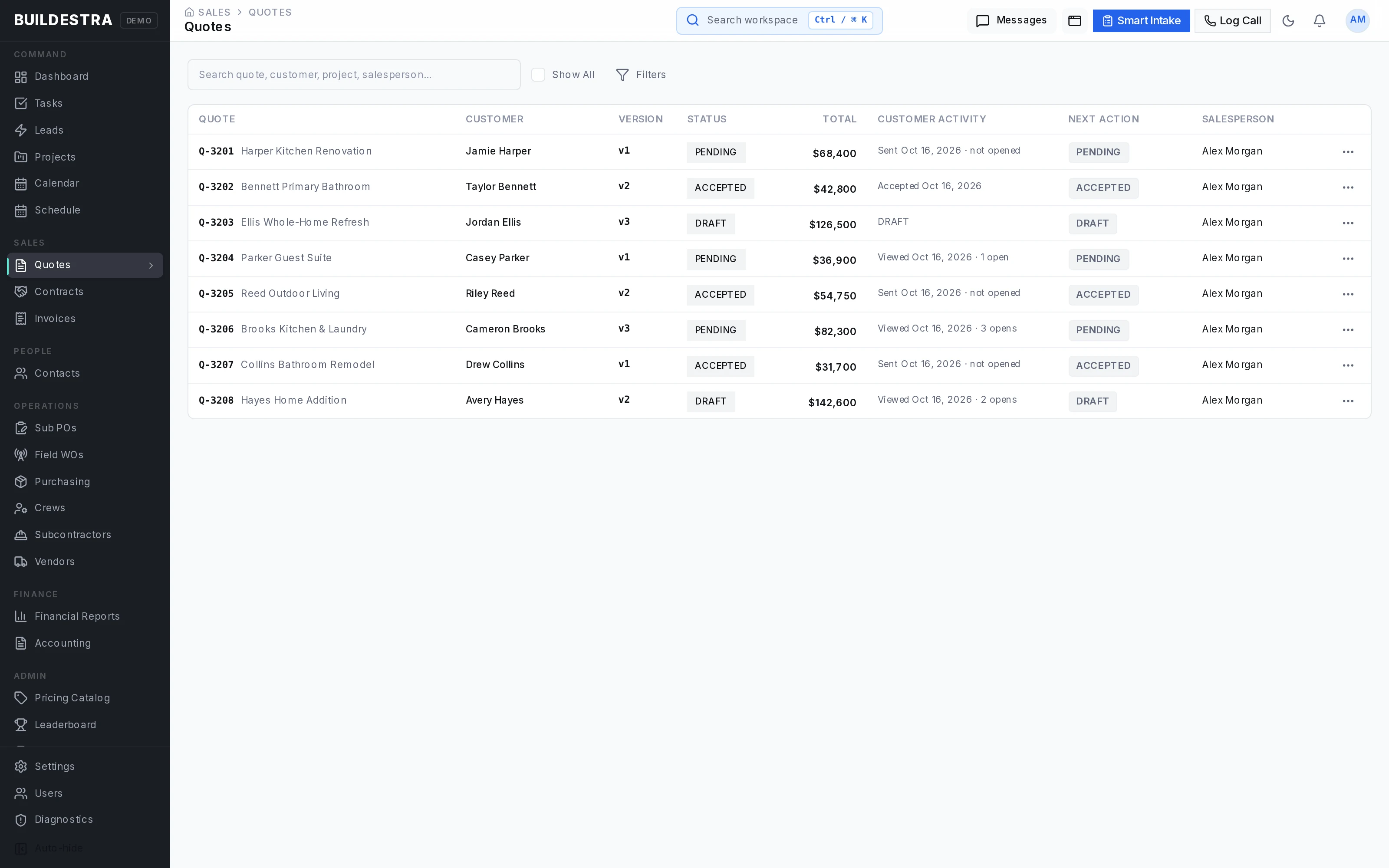
The estimate becomes a branded, itemized proposal. Each version is kept, so when the customer asks for changes you can say exactly which scope and price they saw and which version they accepted.
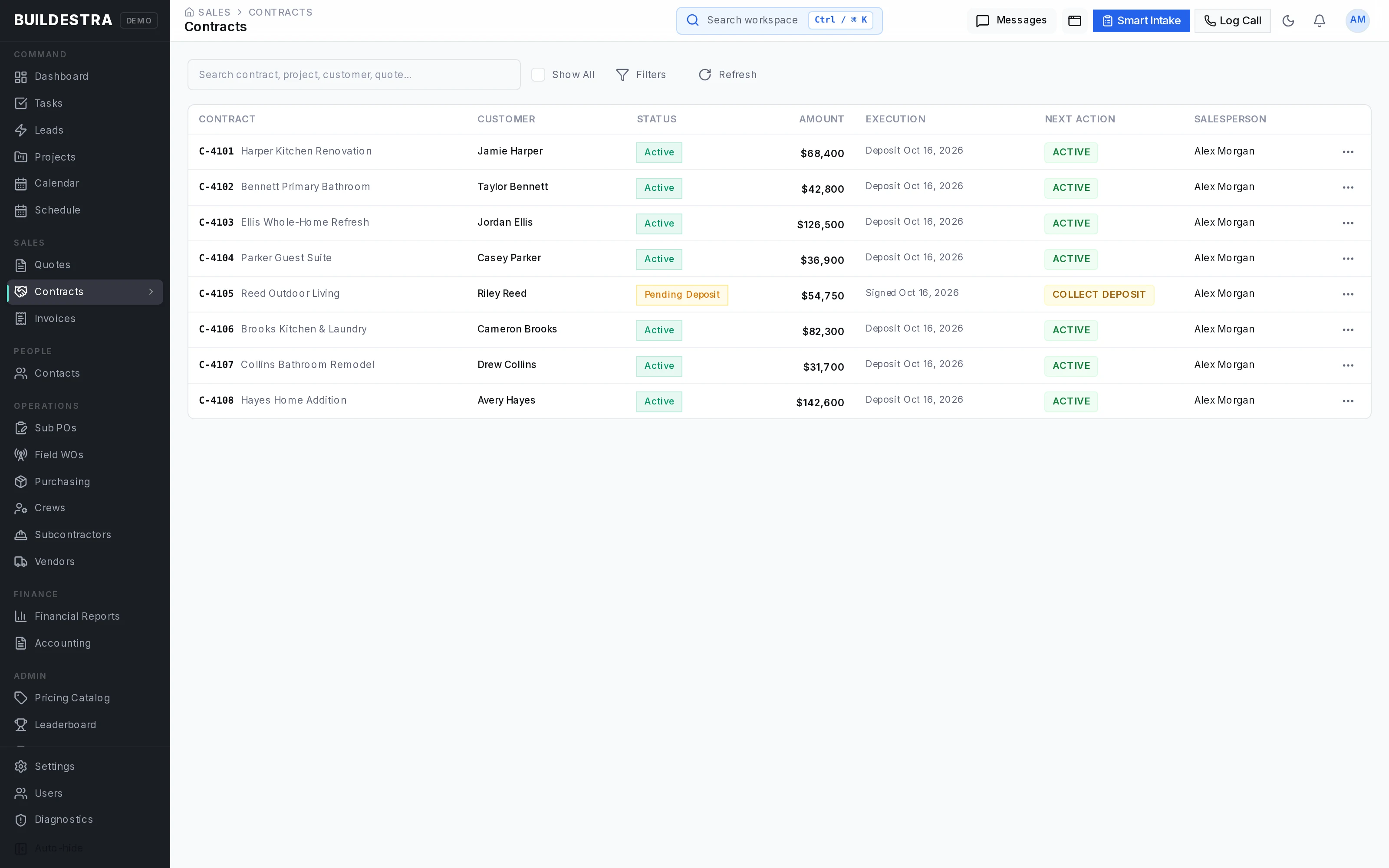
4Write the contract from what was accepted
The contract starts from the accepted quote version, so the contract scope matches what the customer approved. Signing, digital or in person, and contract status are tracked.
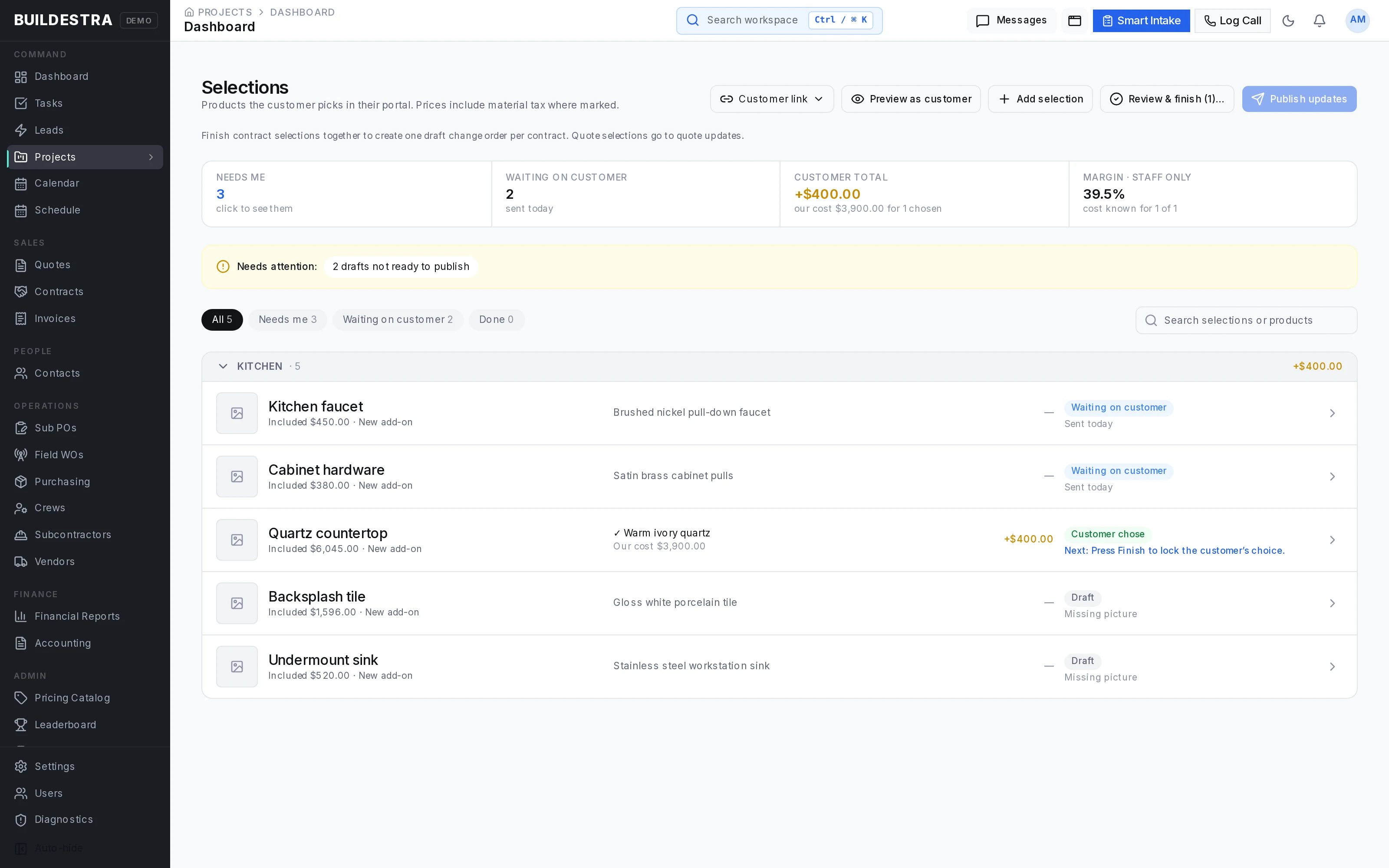
5Track selections and allowances
Products, finishes and choices are presented to the customer and the approvals are recorded. Allowances give budget context, so a choice that costs more shows up as a decision, not a surprise at the end.
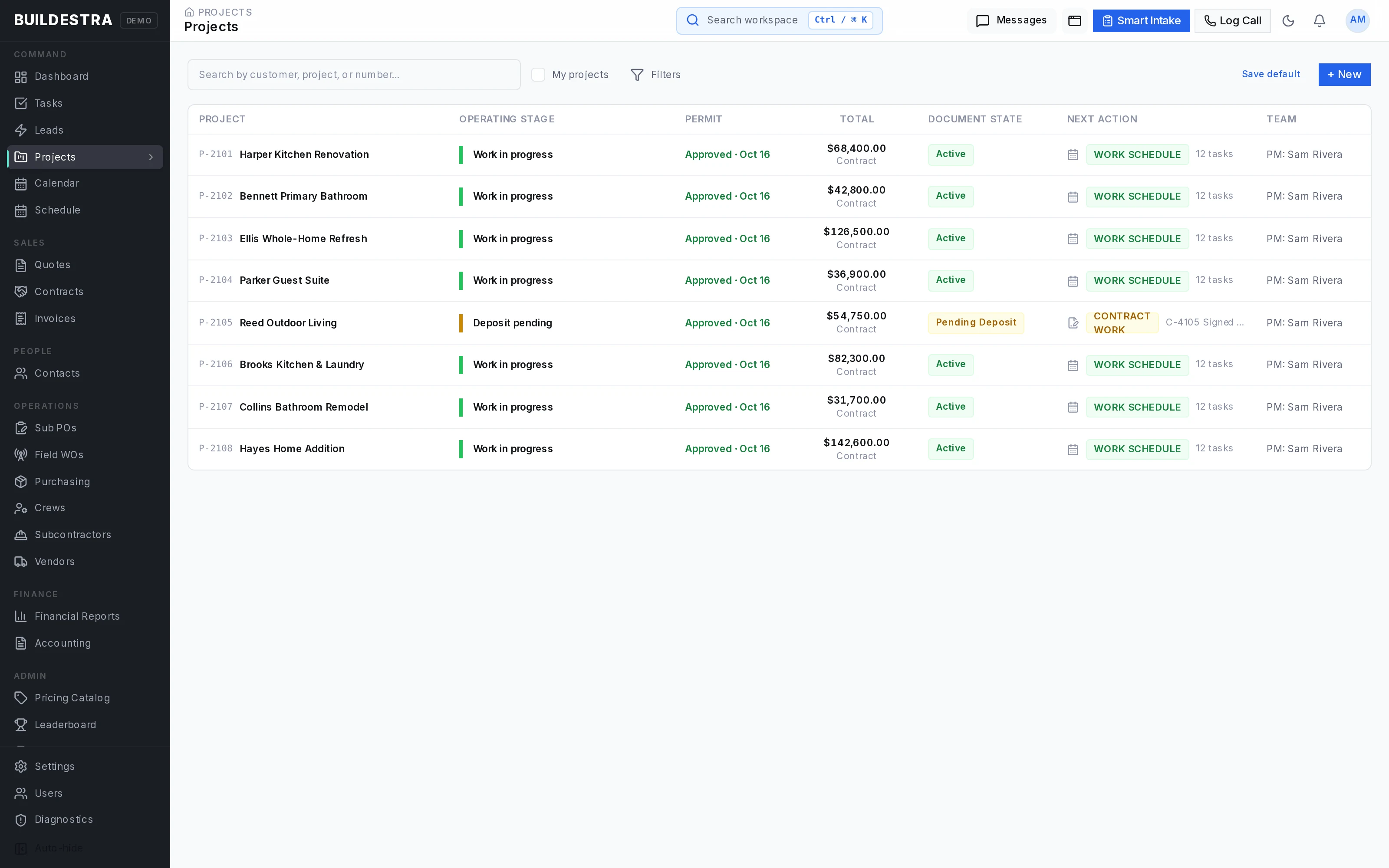
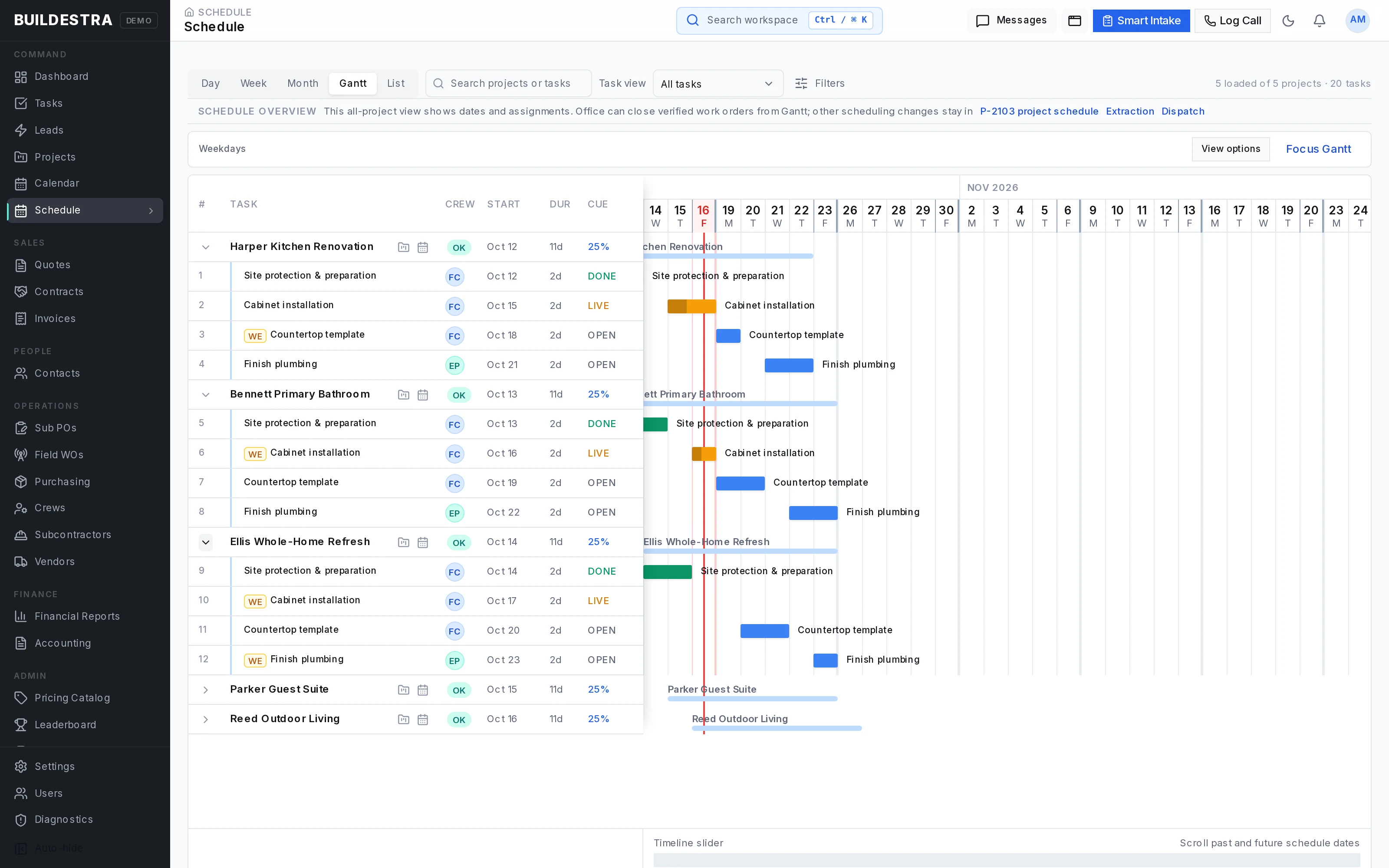
6Prepare and schedule the job
Launch preparation checks what is needed before work is released. The schedule assigns crews and subcontractors, with task dependencies and conflict checks.
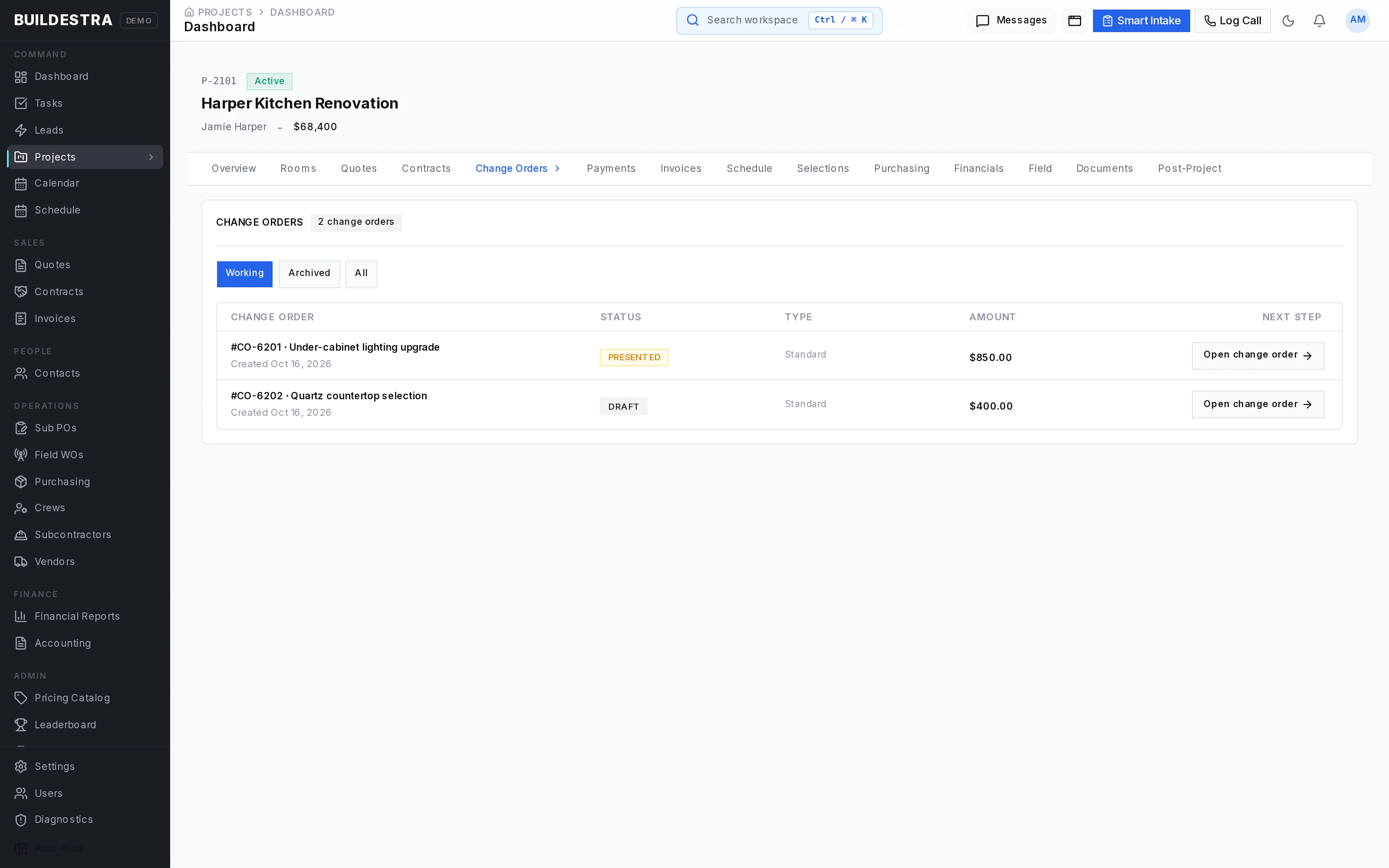
7The customer changes their mind
A change order records what changed, the itemized price effect and the customer's written approval. Approved changes can feed scheduling and purchasing, so the crew and the buyer work from the new scope, not the old one.
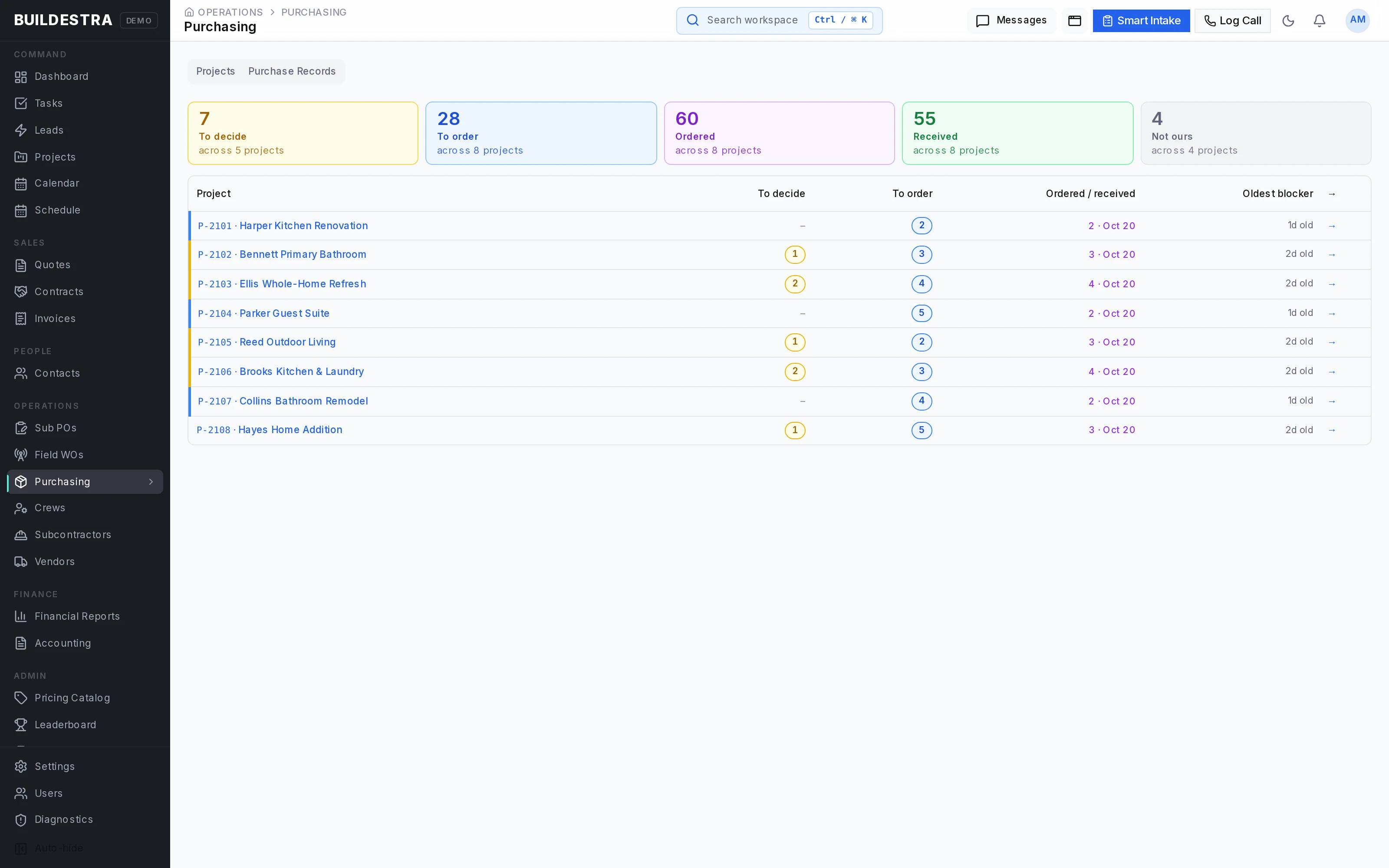
8Order what the job needs
Purchasing follows the approved scope and the approved change orders. Buyers confirm quantities and costs and record the order.
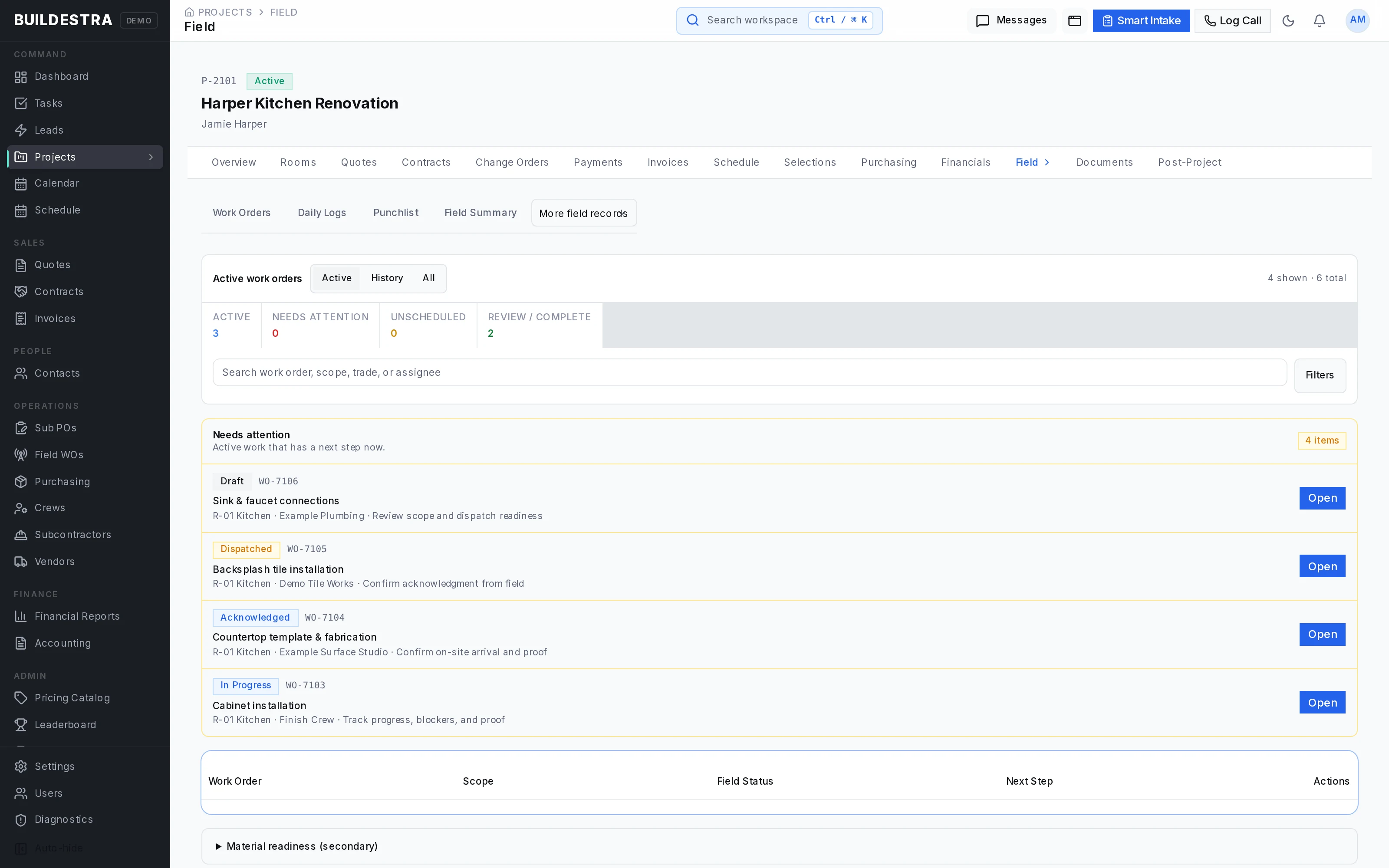
9Get the work done and reported
Work orders give the crew a defined assignment. Daily logs, photos, time entries and punchlists come back to the office for review.
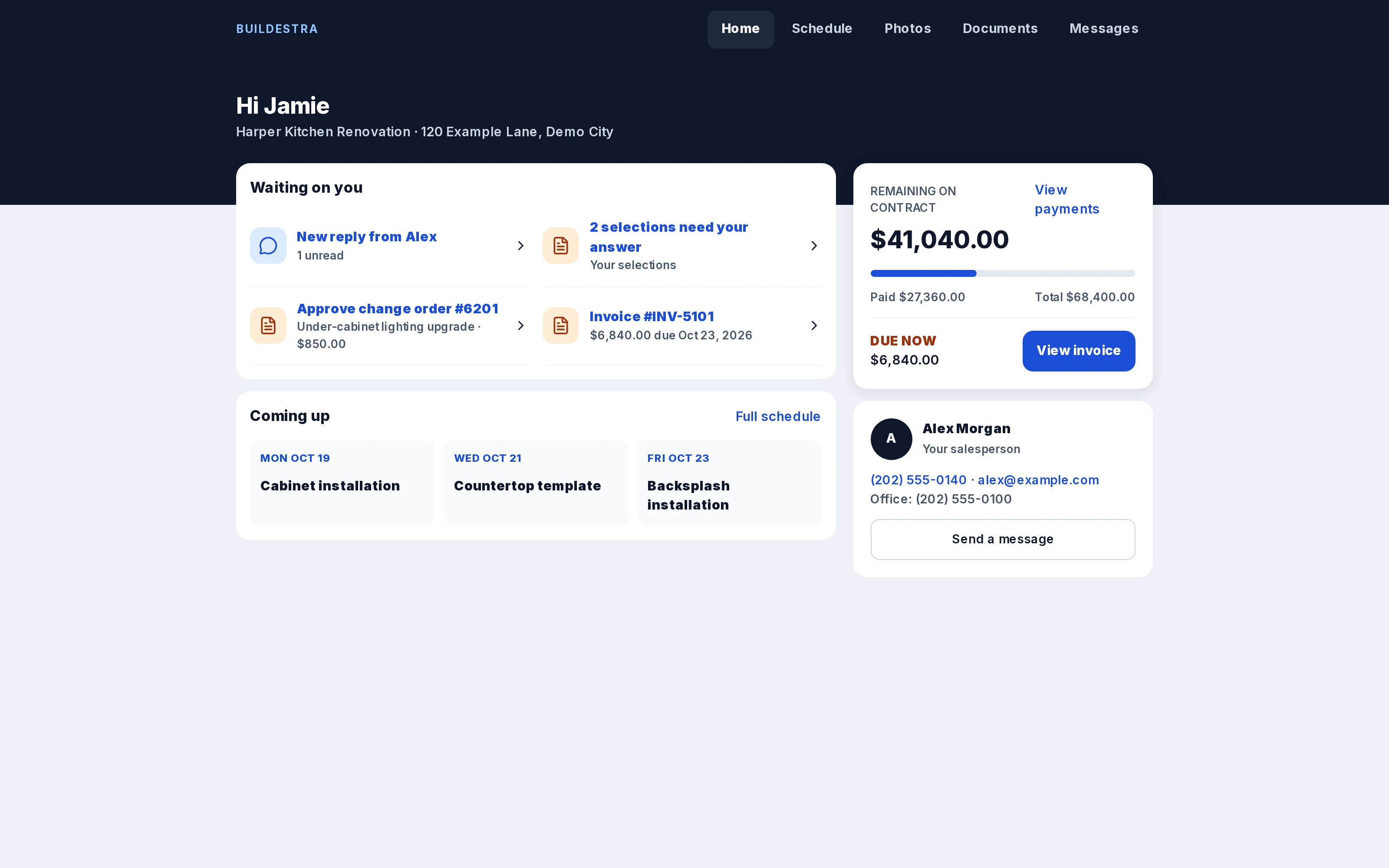
10Keep the customer in the loop
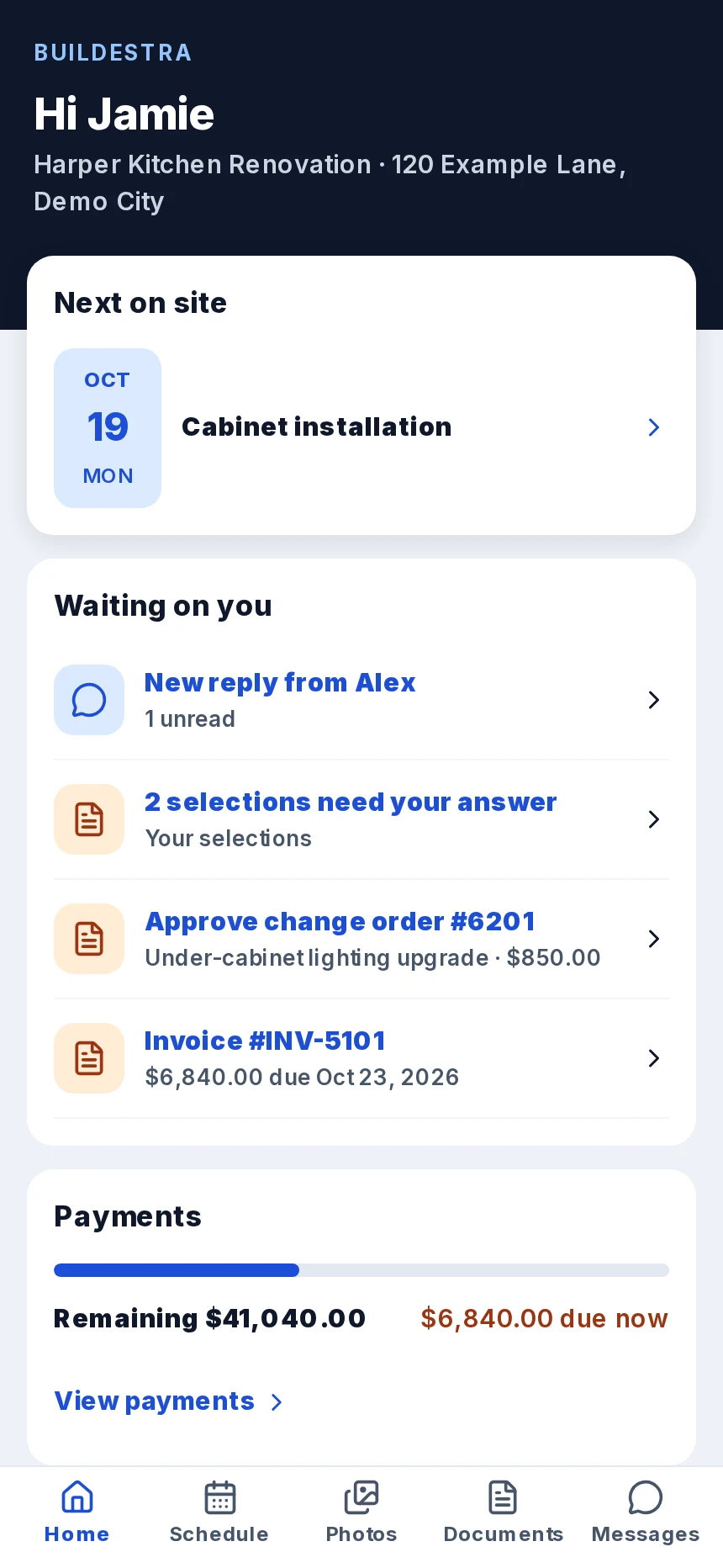
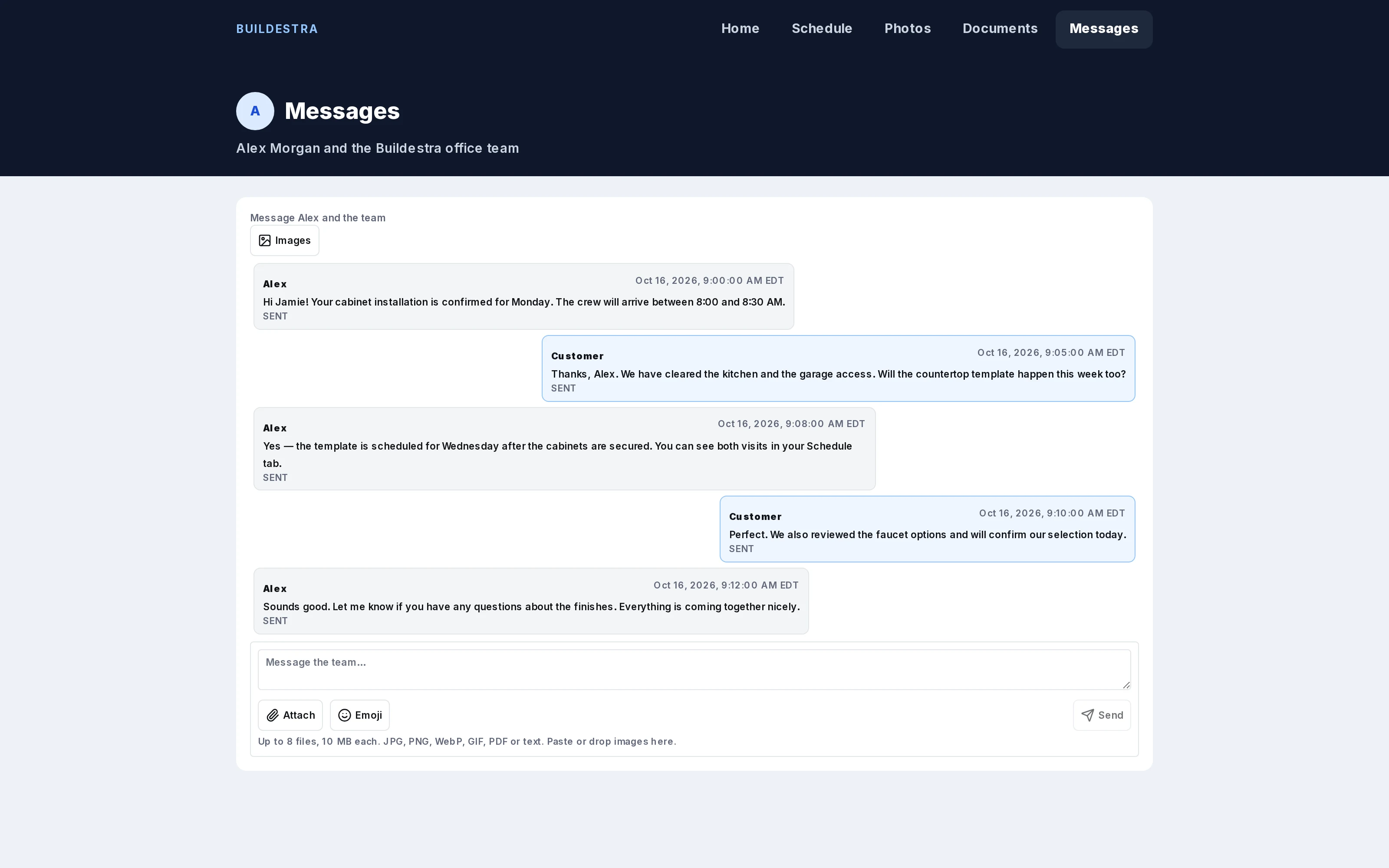
The customer portal gives one place to see upcoming work, pending decisions, messages and payments, on a computer or a phone.
11Get paid and see the numbers
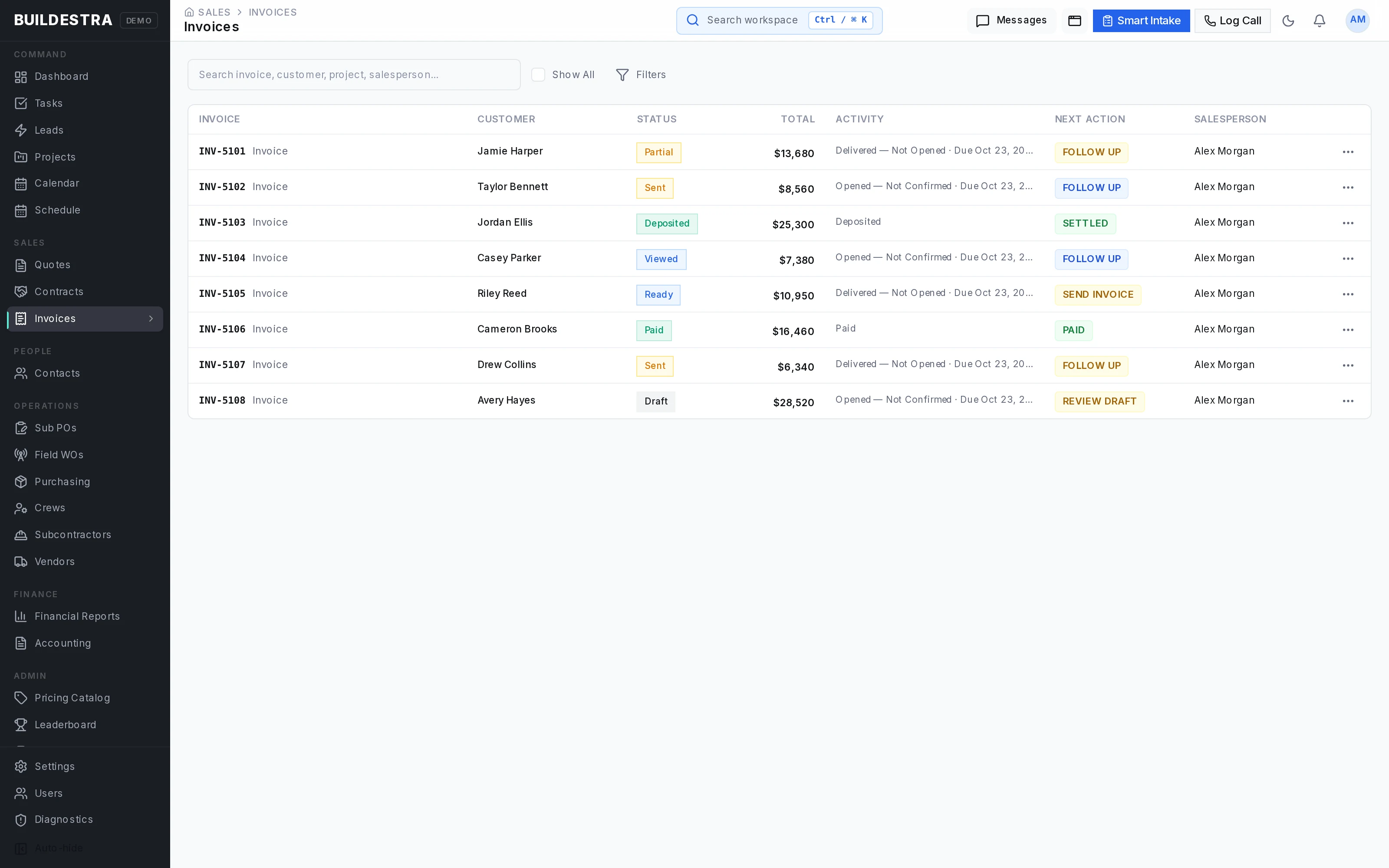
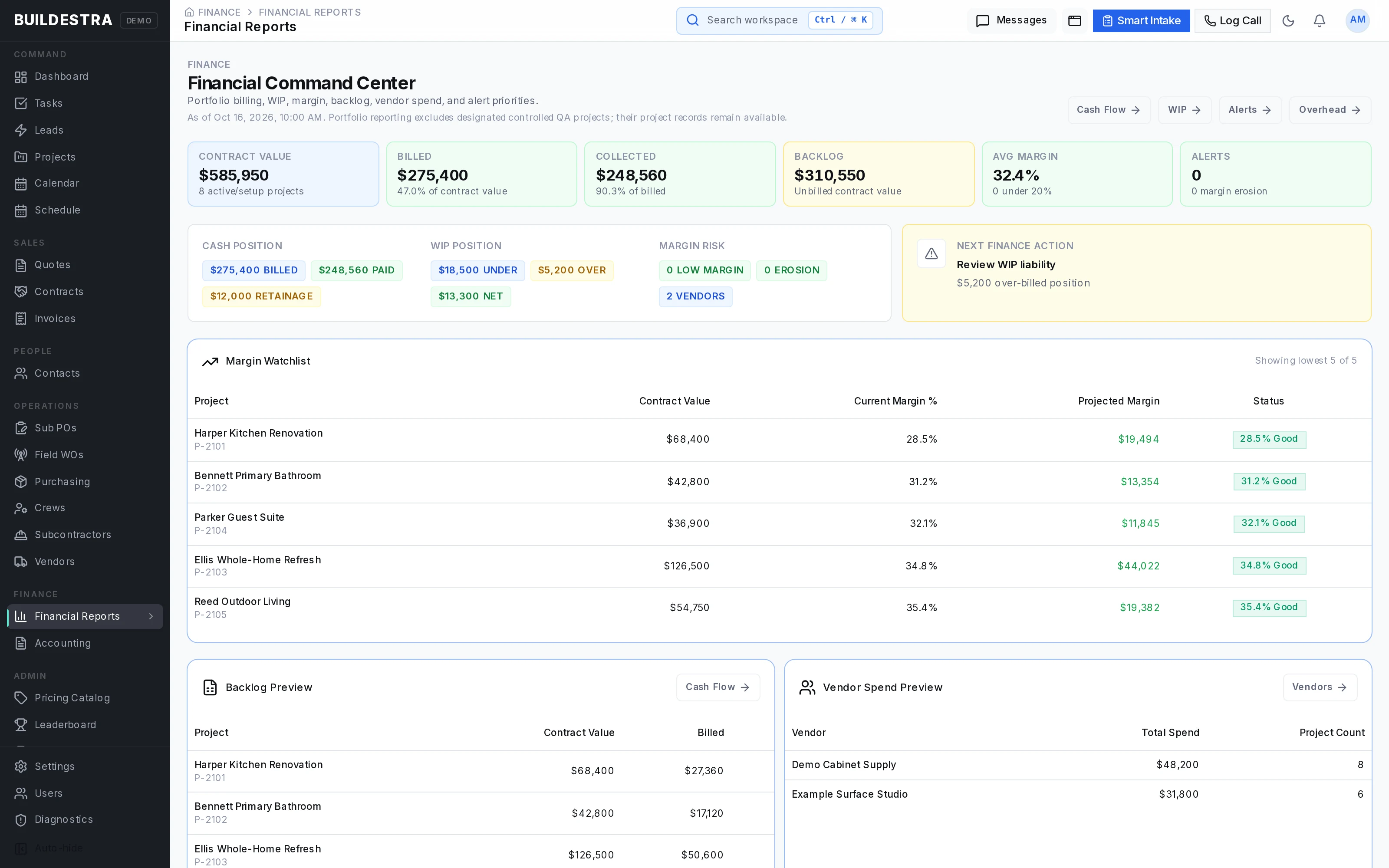
Invoices, deposits, progress billing and recorded payments show balances clearly. Budget-versus-actual and margin reporting show how the job performed.
12Close it out and honor the warranty
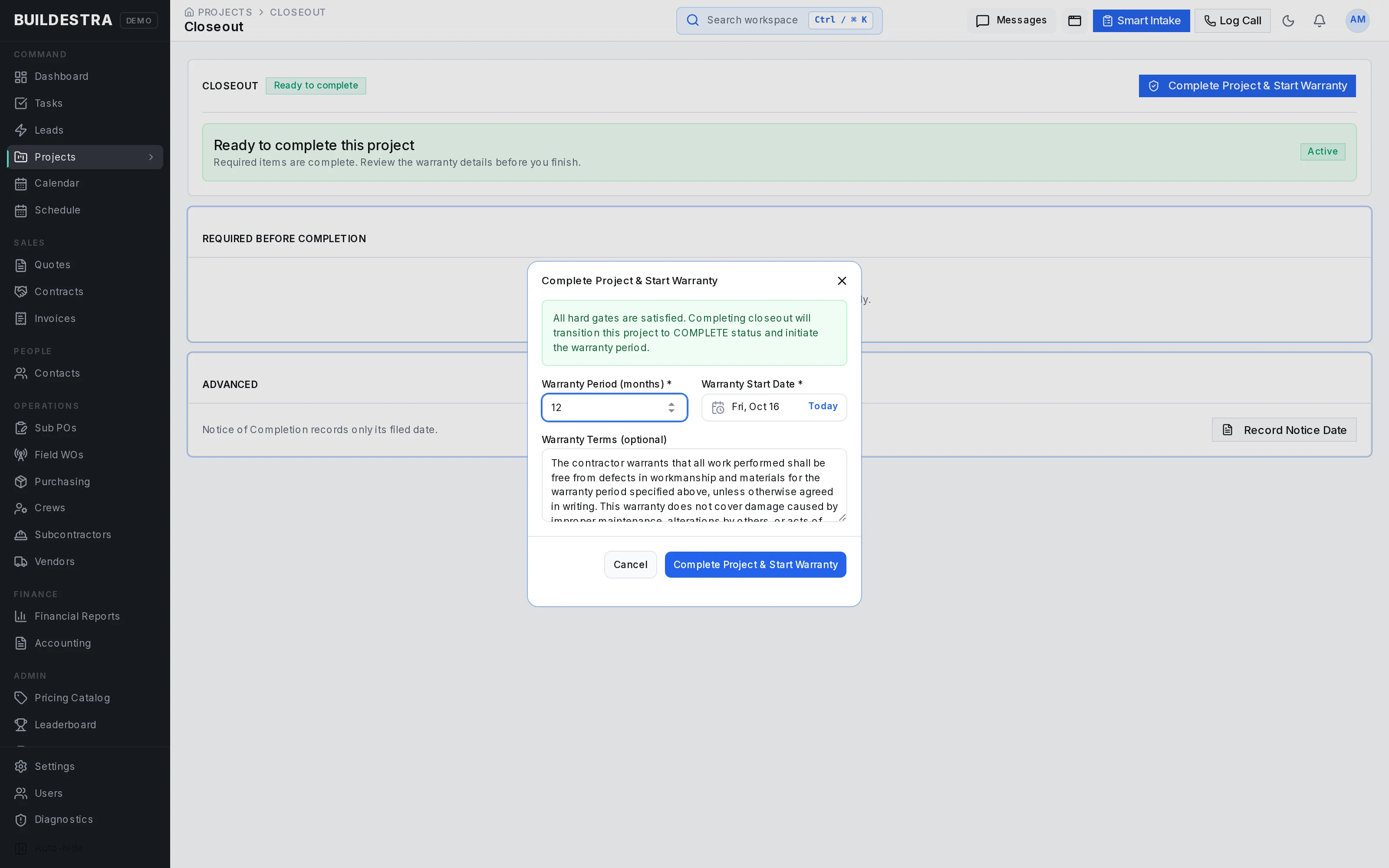
Closeout reviews whether the job is ready to be completed, then moves it into warranty. Warranty terms and customer claims stay organized after the crew has left.
What to know
- Every screen on this page uses fictional demonstration data.
- Buildestra is in limited alpha: companies are onboarded one at a time and access is free throughout alpha.
- Some areas depend on how a company is set up, such as the accounting connection. The AI estimating assistant is optional and under controlled access.
- See every area in plain words on Everything Buildestra covers.
Next step